
In this blog post, I promised to put together a strategy you could use now. A way to optimise your website to take into account Google’s change in algorithm to semantic natural language program (NLP). This has seen a number of my clients see increases in the rankings, traffic and most importantly conversion.
What The Tool Does
The tool I recommend is called inlinks.net and the tool has three distinctive features:-
Inner Links
Inner links are vital to SEO. The way your site links from page to another passes authority and helps Google to understand the theme and topic of your site (I will go through these in a minute). One of the issues with inner linking is what pages do I link to and what text (anchor text) do I use, without appearing spammy? The tool links to your important pages in a natural way.
Schema Markup
Everyone has heard of schema, not many know how to use it effectively. Whilst there many great tools out there to help you create the structured data, you need to know the data you want to mark up. Inner links create schema markup according to the topics and entities you are trying to associate with.
Content Editor
This is the most powerful part of the software in my opinion. What it allows you to do is type in a keyword you are trying to rank for then it will advise on topics you need to mention that you are competitors are mentioning and whether you are under using, using these appropriately, over user using the topics. This takes into account semantic indexing and related words to strengthen the topic.
How To Setup
Register
Go to inlinks.net and hit register. It will send you an email you will need to verify. The software is completely free of charge for the first 25 pages.
After verifying your email, login and you will be presented with this page.

I would recommend first setting up a project which will take care of the inner links and the Schema markup.
Then enter the URL and the country you are targeting. You may want to let Inlinks choose the top 20 pages for you, or you can choose your pages manually.
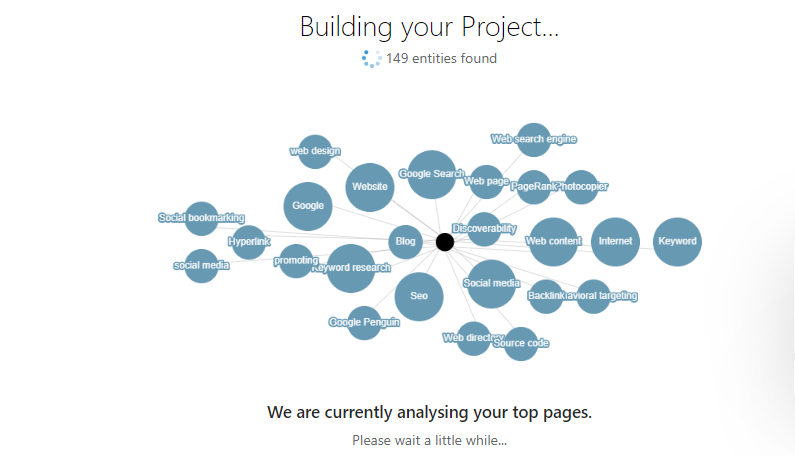
Next, you will see Inlinks building your project and gathering topics.
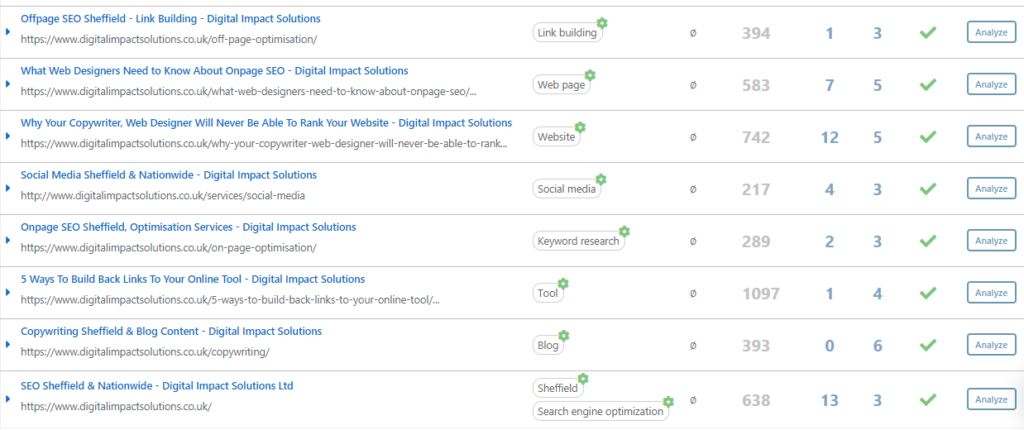
Once the site has finished setting up the topics, you will want to review them. Try and choose as close to a topic as you can that is relevant to what you are trying to be found for. Here you can see I have made sure each page has a separate topic and as I am based in Sheffield, the home page has “SEO” and “Sheffield”. If the topics are not relevant, it could be that your content isn’t niche enough and will need rewriting, see the section in the next blog post about using the content editor.
Don’t worry about the other bits for now, I will go through them in a bit.
Setting up the code
This tool does not need you to make physical changes to the content of the site, that is the genius part of it. It uses JavaScript to amend the links and edit the Schema and yes Google can index this.
For the tool to amend the pages of your site, you will need to install the code it gives you.

If you have WordPress this is relatively simple to add, as long as you have admin access. Go to plugins > add plugin > and search for headers & footers. (make sure your site is compatible with the plugin. Never install a plugin unless you have backed your site up).
Go to settings > headers & footers and just add the JS from Inlinks into the <head> section of headers & footers and save.
Once you have done this go to back to Inlinks and press check (the green button). It will probably look like it has failed but you can usually see the links regardless and it takes a couple of days for the tool to verify.
We can now move on to seeing the live links and Schema markup.
Links
The tool will now have added links to various pages of your site according to the topics you have chosen. Click on links and you will see the pages it has added inner links and what page it is linking to, as well as the linking words (anchor text) used.

Here you will see that the inlinks tool has added inner links to the copywriting page for me.
Just a note here you will see the links have been turned a horrible shade of blue. This is not to do with the links but the way the WordPress theme had styled them. Inlinks advised about changing the colour of the font:-
Hi, this has to be done on your side by adding something like <style>.inlinks { color:#fff ; }</style>. (just an example) We don’t inject CSS in your page for safety reasons.

It has done this throughout the site including blog posts. This saves me a lot of hassle and as I add more content, the tool will add more inner links.
Schema
You will also notice that inner links will also have created schema markup for you. To see this click on Schema on the main menu
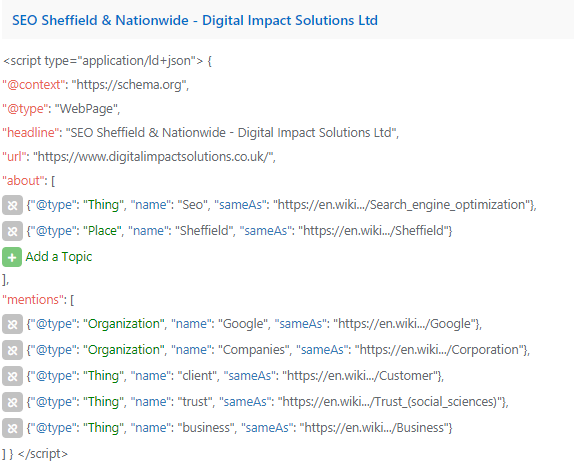
Here you see that entities are labelled according to organisations, things, or places. This is all helps Google strengthen the signal as to what is you do and want to be found for.
Case Studies
To finish off the second part of my series on semantic indexing and NLP, I thought I would show you some recent case studies, proving the power of semantic and indexing and abandoning the old ways of doing onpage optimisation.
Case Study 1
One of the clients we are working with a kitchen company with Showrooms in two areas. Whilst we dominated one area, the more competitive area bounced around between page 2 and page 4 of Google.
Solution
By using semantic indexing as above, mentioning related words and reducing the amount of times “kitchen” was used in the content, we were able to see dramatic movement and the keywords have jumped to page 1.
Outcome
This has caused more appointments to the showroom.

Case Study 2
We had this client for a while with pay per click and organic SEO. We had been working on the website for a number of years and we finally decided to give the site a redesign. We looked at competitors and decided we needed a more simple menu structure.
Solution
We implemented the new design, fleshed out the content with more product pages, backed up with datasheets and images. We also optimised the pages for semantic search and related keywords.
Outcome
The progress has been amazing. Average position in Google, Jumped from 83rd position to 43rd. Conversion is up 250% and rather than local search terms they are now being found for national terms.

Case Study 3
This client was doing exceptionally well in the employment law side of things but we couldn’t crack the HR side. We decided the signal in terms of related words, wasn’t strong enough.
Solution
We looked at topics that we were under using with relation to HR and mentioned at least once the keyword we were struggling within the content.
Outcome
Visibility has jumped from 40th place to page 1 9th!! Conversion is up 30%.

I hope this helps if you feel stuck in a rut with your SEO and are struggling on actionable ideas to take. Look out for next week’s blog post, which will show you how to optimise your pages inline with NLP and semantic indexing.


